> ## Documentation Index
> Fetch the complete documentation index at: https://docs.chatsistant.com/llms.txt
> Use this file to discover all available pages before exploring further.
# Background Agents
Chatsistant has 2 types of Agents:
**User-facing:** This Agent directly interacts with users conversationally in a Q\&A fashion. Only a single user-facing Agent engages with the user when a new query is input into the chatbot.
**Background:** This Agent never interacts with users directly and instead monitors the conversation in an ongoing fashion. All background Agents are run whenever the user submits a new query to the chatbot.
Customizable Agents in Chatsistant
Chatsistant enables you to create powerful and adaptive workflows using two types of agents:
**1. Front-End User-Facing Agents**
* These agents directly interact with users conversationally in a Q\&A format.
* Only one user-facing agent engages with the user at a time when a new query is submitted.
* They are designed to provide answers, complete tasks, or guide users through various interactions.
**2. Background Agents (Built-In Functionality)**
Background agents are now built-in to Chatsistant’s architecture, providing automated monitoring and task execution without requiring direct configuration. These agents work in the background to support front-facing agents by performing tasks such as:
* **Human Escalation:** Automatically escalating conversations to a human agent based on user behavior or triggers.
* **Function Calling (Webhooks):** Executing API calls to external systems when certain conversational conditions are met.
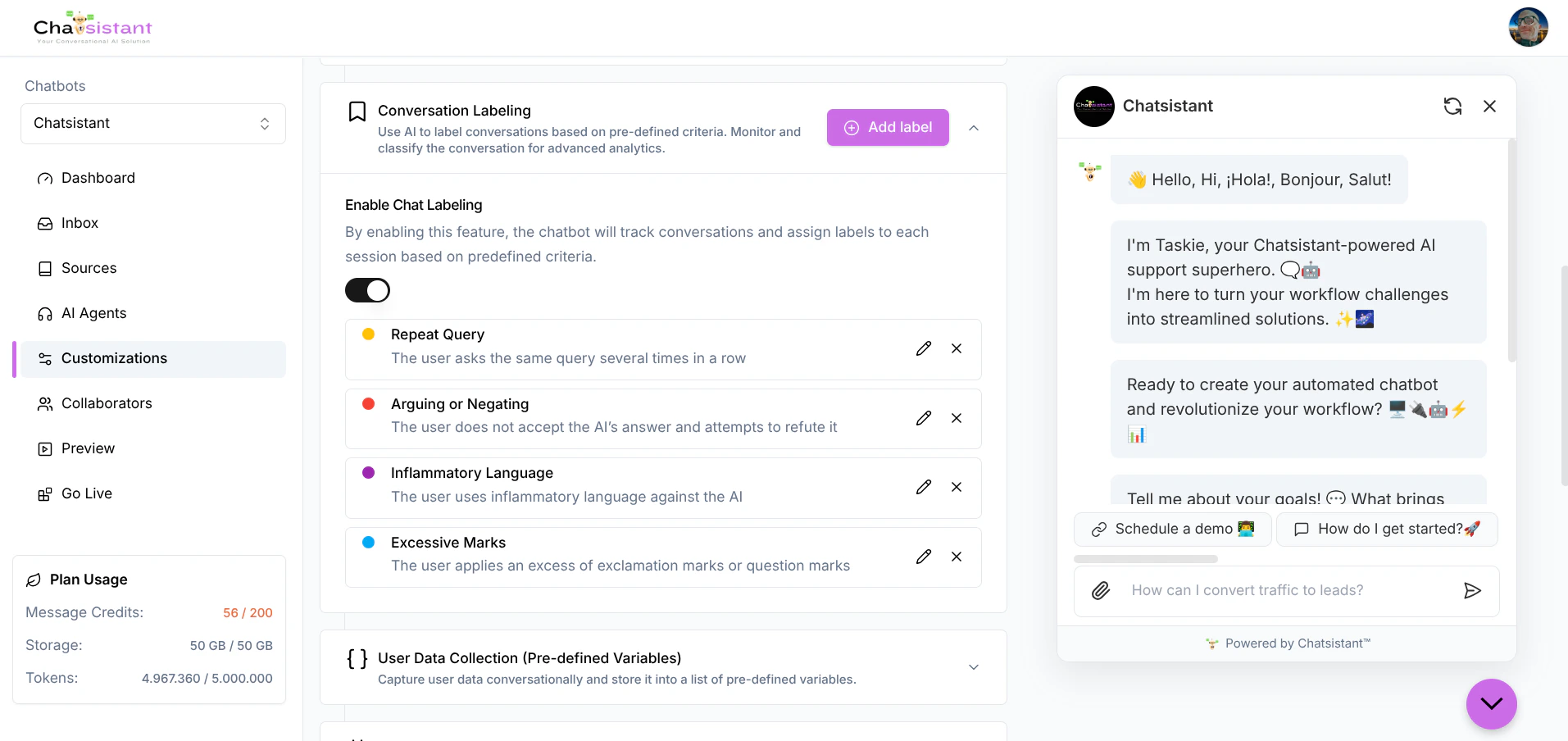
* **Conversational Tagging:** Assigning dynamic tags to conversations to categorize user queries or detect specific intents (e.g., frustration detection).
Unlike front-facing agents, background agents are enabled and customized directly by users in the chatbot’s Customization Settings. They operate seamlessly behind the scenes to enhance chatbot functionality.
**Key Features of Built-In Background Agents**
* **Trigger-Based Monitoring:** Background agents automatically monitor user queries whenever a new message is submitted and execute actions such as tagging, escalation, or calling webhooks.
* **Workflow Optimization:** By specializing in background monitoring, these agents create “multi-threaded” workflows, improving accuracy and consistency across chatbot interactions.
* **RAG Integration (Optional):** In scenarios where background tasks need to evaluate user queries against policies, records, or other knowledge sources, RAG capabilities can be enabled.
**How Built-In Background Agents Work**
* **Simple, Focused Tasks:** Background agents operate with predefined instructions. For instance, they monitor conversations for triggers like frustration, escalate to human support, or call a webhook when specific intents are detected.
* **No Manual Configuration Required:** All agents created through Chatsistant are front-facing agents, while background capabilities are automatically enabled and integrated for seamless operation.
* **Optional Knowledge Source Access:** Background agents can reference knowledge bases or RAG systems if needed for specific tasks, such as evaluating user statements before assigning tags or escalating queries.
**Examples of Built-In Background Agent Use Cases**
* **Human Escalation:** Automatically escalate conversations to a human agent if a frustrated tone or critical issue is detected.
* **Function Calling:** Execute specific actions, such as sending data to a CRM via webhook, based on user inputs like “Submit payment” or “Schedule appointment.”
* **Conversation Tagging:** Dynamically tag conversations to streamline categorization. For example, add tags like “Frustrated” or “High-Priority” to enable tailored follow-ups.
By moving background agents to built-in functionality, Chatsistant ensures seamless integration into workflows, eliminating the need for manual setup while maintaining flexibility and scalability.
A common use case for background Agents is conversation tagging. For an example of how to use background Agents to assign conversation tags, see Frustration Detection.